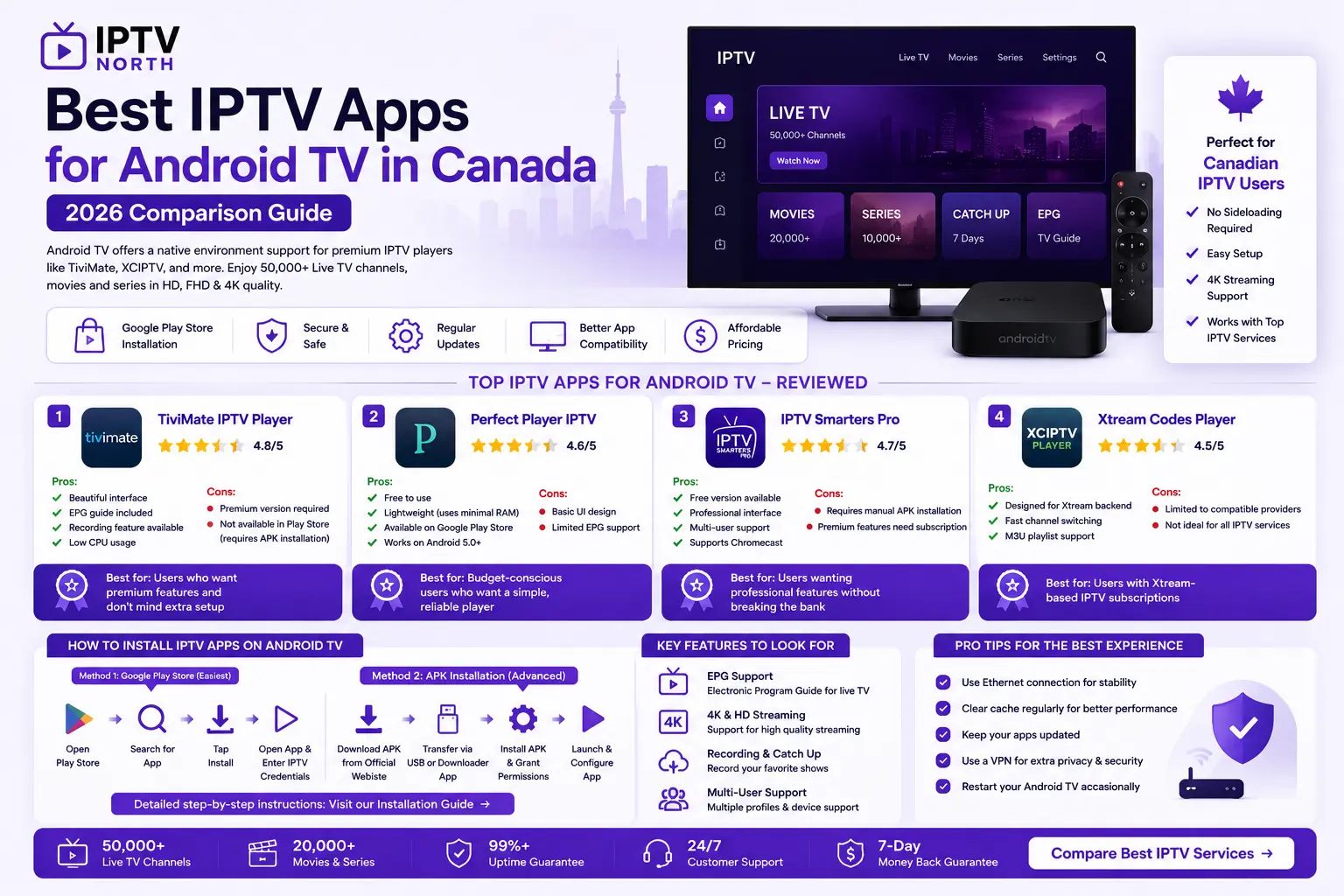
Best IPTV Apps for Android TV in Canada – 2026 Comparison Guide
Android TV provides a native environment support for premium middleware platforms like TiviMate, XCIPTV, and smart boxes. This makes Android TV one of the best choices for IPTV streaming in Canada.
Unlike Fire TV which requires sideloading, Android TV apps can be downloaded directly from the Google Play Store, making setup simpler and safer. Explore our Android TV setup guide →
Why Choose Android TV for IPTV in Canada?
Advantages:
- Direct Google Play Store installation
- No sideloading required
- Regular security updates
- Better app compatibility
- Cheaper than Apple TV
Popular Android TV brands:
- Sony Bravia
- TCL Android TV
- Philips TP Smart TV
- Nvidia Shield →
Top IPTV Apps for Android TV Reviewed
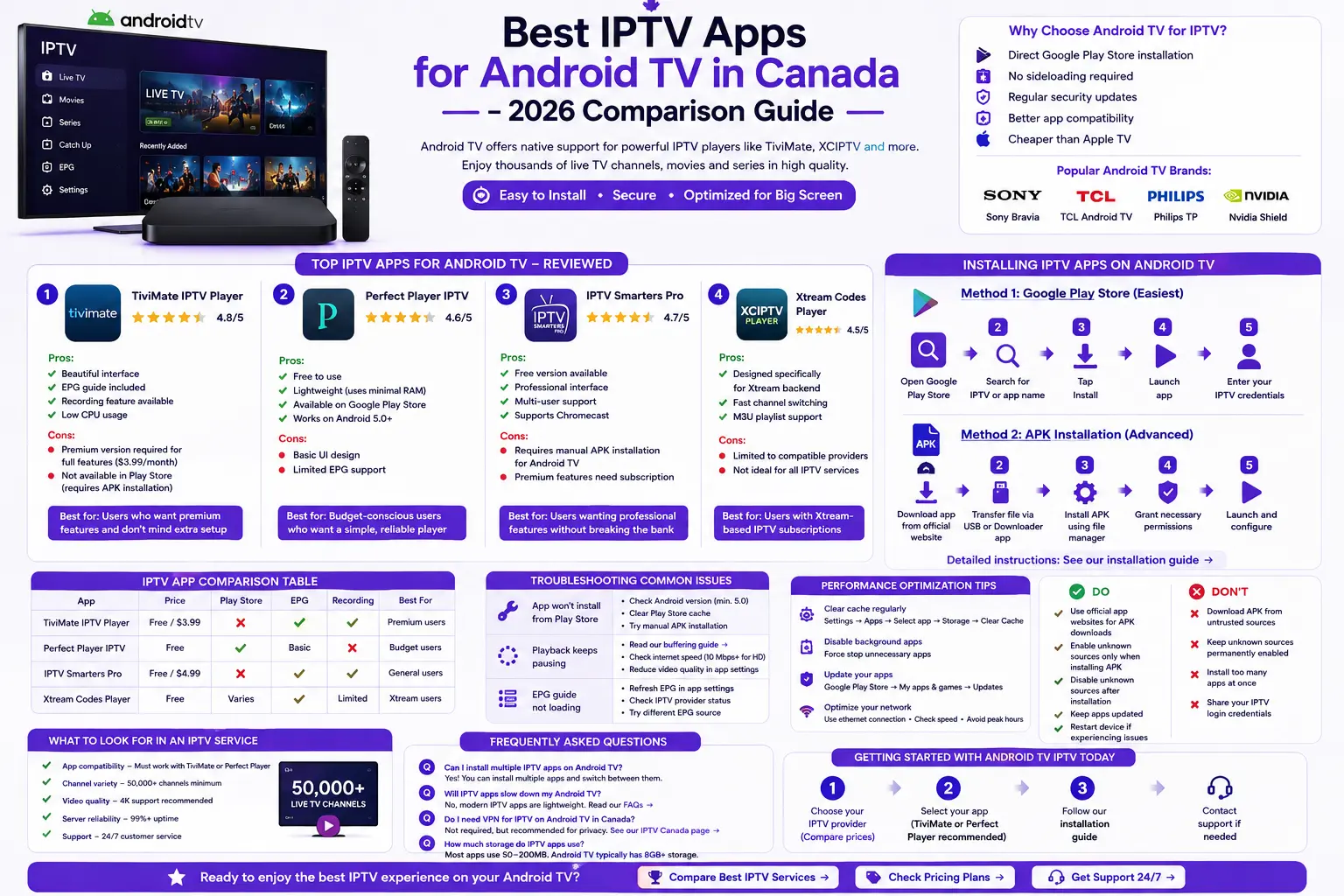
1. TiviMate IPTV Player
Rating: ⭐⭐⭐⭐⭐ (4.8/5)
Pros:
- Beautiful interface
- EPG guide included
- Recording feature available
- Low CPU usage
Cons:
- Premium version required for full features ($3.99/month)
- Not available in Google Play Store (requires APK installation)
Best for: Users who want premium features and don’t mind extra setup
2. Perfect Player IPTV
Rating: ⭐⭐⭐⭐ (4.6/5)
Pros:
- Free to use
- Lightweight (uses minimal RAM)
- Available on Google Play Store
- Works on Android 5.0+
Cons:
- Basic UI design
- Limited EPG support
Best for: Budget-conscious users who want a simple, reliable player
Download Perfect Player from Google Play →
3. IPTV Smarters Pro
Rating: ⭐⭐⭐⭐ (4.7/5)
Pros:
- Free version available
- Professional interface
- Multi-user support
- Supports Chromecast
Cons:
- Requires manual APK installation for Android TV
- Premium features need subscription
Best for: Users wanting professional features without breaking the bank
4. Xtream Codes Player
Rating: ⭐⭐⭐⭐ (4.5/5)
Pros:
- Designed specifically for Xtream backend
- Fast channel switching
- M3U playlist support
Cons:
- Limited to compatible providers
- Not ideal for all IPTV services
Best for: Users with Xtream-based IPTV subscriptions
Step-by-Step: Installing IPTV Apps on Android TV
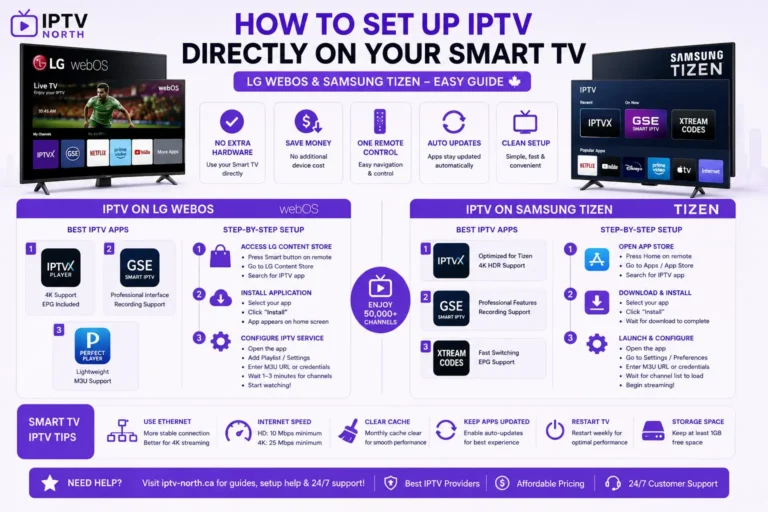
Method 1: Google Play Store (Easiest)
- Open Google Play Store on your Android TV
- Search for “IPTV” or app name
- Tap Install
- Launch app
- Enter your IPTV credentials
Method 2: APK Installation (Advanced)
For apps not available on Play Store:
- Download app from official website
- Transfer file via USB or Downloader app →
- Install APK using file manager
- Grant necessary permissions
- Launch and configure
Detailed instructions: See our installation guide →
IPTV App Comparison Table
| App | Price | Play Store | EPG | Recording | Best For |
|---|---|---|---|---|---|
| TiviMate | Free/$3.99 | No | Yes | Yes | Premium users |
| Perfect Player | Free | Yes | Basic | No | Budget users |
| IPTV Smarters | Free/$4.99 | No | Yes | Yes | General users |
| Xtream Codes | Free | Varies | Yes | Limited | Xtream users |
Troubleshooting IPTV on Android TV
Issue: App won’t install from Play Store
- Check Android version (minimum 5.0 required)
- Clear Play Store cache
- Try manual APK installation
Issue: Playback keeps pausing
- Read our buffering guide →
- Check internet speed (minimum 10 Mbps for HD)
- Reduce video quality in app settings
Issue: EPG guide not loading
- Refresh EPG in app settings
- Check IPTV provider’s service status
- Try different EPG source
Performance Optimization for Android TV IPTV
- Clear cache regularly:
- Settings → Apps → Select app → Storage → Clear Cache
- Disable background apps:
- Settings → Apps → Permissions → Manage all apps
- Force stop unnecessary apps
- Update your apps:
- Google Play Store → My apps & games → Updates
- Keep Android TV firmware updated
- Network optimization:
- Use ethernet connection (more stable than WiFi)
- Check your internet speed →
- Avoid peak hours if possible
Android TV IPTV Setup Best Practices
✅ Do:
- Use official app websites for APK downloads
- Enable unknown sources only when installing APK
- Disable unknown sources after installation
- Keep apps updated
- Restart device if experiencing issues
❌ Don’t:
- Download APK from untrusted sources
- Keep unknown sources permanently enabled
- Install too many apps at once
- Share your IPTV login credentials
What to Look for in an IPTV Service for Android TV
When choosing an IPTV provider for your Android TV:
- App compatibility – Must work with TiviMate or Perfect Player
- Channel variety – 50,000+ channels minimum
- Video quality – 4K support recommended
- Server reliability – 99%+ uptime
- Support – 24/7 customer service
Compare the best IPTV services →
Frequently Asked Questions
Q: Can I install multiple IPTV apps on Android TV?
A: Yes! You can install multiple apps and switch between them.
Q: Will IPTV apps slow down my Android TV?
A: No, modern IPTV apps are lightweight. Read our FAQs →
Q: Do I need VPN for IPTV on Android TV in Canada?
A: Not required, but recommended for privacy. See our IPTV canada page →
Q: How much storage do IPTV apps use?
A: Most apps use 50-200MB. Android TV typically has 8GB+ storage.
Getting Started with Android TV IPTV Today
- Choose your IPTV provider (Compare prices) →
- Select your app (TiviMate or Perfect Player recommended)
- Follow our installation guide →
- Contact support if needed →