Complete Guide to IPTV on Apple Devices in Canada – 2026
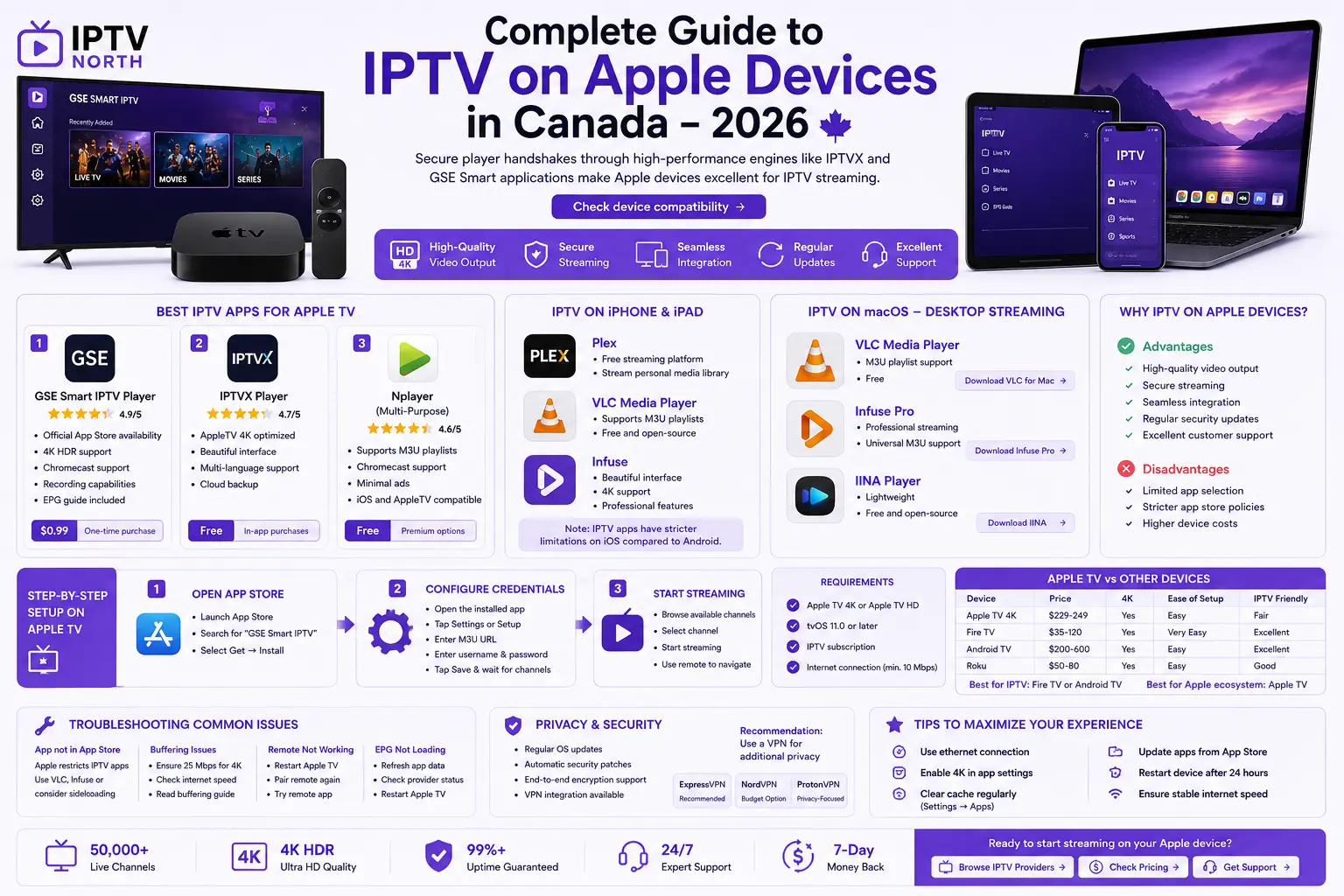
Secure player handshakes through high-performance engines like IPTVX and GSE Smart applications make Apple devices excellent for IPTV streaming. While Apple is more restrictive than Android, there are excellent options available in Canada.
Why IPTV on Apple Devices?
Advantages:
- High-quality video output
- Secure streaming
- Seamless integration across devices
- Regular security updates
- Excellent customer support
Disadvantages:
- Limited app selection compared to Android
- Stricter app store policies
- Higher device costs
Best IPTV Apps for Apple TV
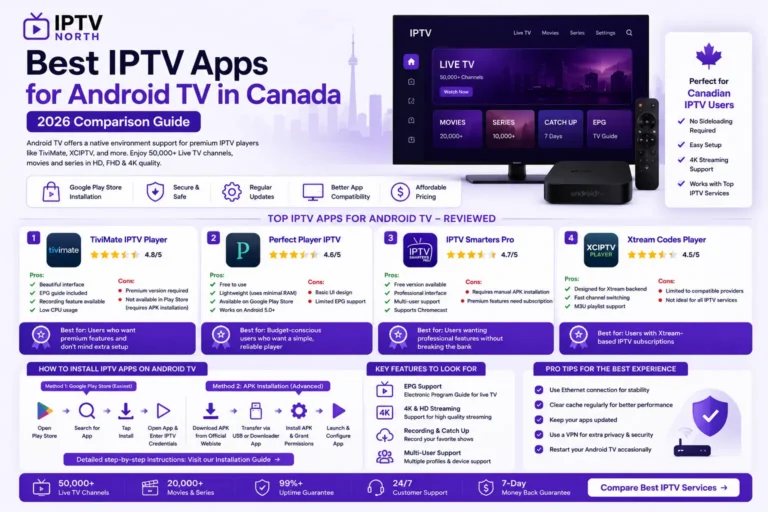
1. GSE Smart IPTV Player
Rating: ⭐⭐⭐⭐⭐ (4.9/5)
Features:
- Official App Store availability
- 4K HDR support
- Chromecast support
- Recording capabilities
- EPG guide included
Price: $0.99 one-time purchase
2. IPTVX Player
Rating: ⭐⭐⭐⭐ (4.7/5)
Features:
- AppleTV 4K optimized
- Beautiful interface
- Multi-language support
- Cloud backup
Price: Free with in-app purchases
3. Nplayer (Multi-Purpose)
Rating: ⭐⭐⭐⭐ (4.6/5)
Features:
- Supports M3U playlists
- Chromecast support
- Minimal ads
- iOS and AppleTV compatible
Price: Free with premium options
IPTV on iPhone and iPad in Canada
Best Apps for iPhone/iPad:
- Plex – Free streaming platform
- Download Plex App →
- Stream personal media library
- VLC Media Player – Universal media player
- Supports M3U playlists
- Free and open-source
- Infuse – Premium media player
- Beautiful interface
- 4K support
- Professional features
Note: IPTV apps have stricter limitations on iOS compared to Android.
IPTV on macOS – Desktop Streaming
For Mac users, recommended options include:
- VLC Media Player
- M3U playlist support
- Free
- Download VLC for Mac →
- Infuse Pro
- Professional streaming
- Universal M3U support
- Download Infuse Pro →
- IINA Player
- Lightweight
- Free and open-source
- Download IINA →
Step-by-Step Setup on Apple TV
Requirements:
- Apple TV 4K or Apple TV HD
- tvOS 11.0 or later
- IPTV subscription
- Internet connection (minimum 10 Mbps)
Installation Steps:
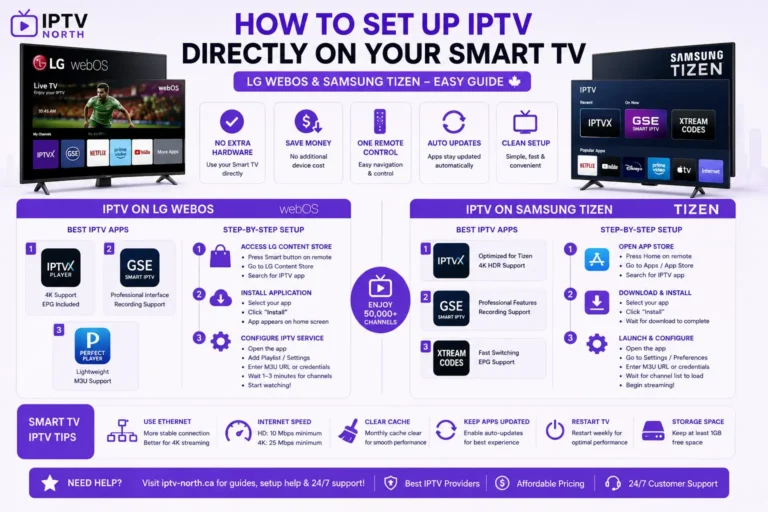
Step 1: Open App Store
- Launch App Store on Apple TV
- Search for “GSE Smart IPTV” (recommended)
- Select “Get” → “Install”
Step 2: Configure Credentials
- Open the installed app
- Tap “Settings” or “Setup”
- Enter M3U playlist URL
- Enter username and password
- Tap “Save” and wait for channels to load
Step 3: Start Streaming
- Browse available channels
- Select channel to start streaming
- Use remote to navigate
Apple TV vs Other Streaming Devices
| Device | Price | 4K | Ease of Setup | IPTV Friendly |
|---|---|---|---|---|
| Apple TV 4K | $229-249 | Yes | Easy | Fair |
| Fire TV | $35-120 | Yes | Very Easy | Excellent |
| Android TV | $200-600 | Yes | Easy | Excellent |
| Roku | $50-80 | Yes | Easy | Good |
Best choice for IPTV: Fire TV or Android TV
Best choice for Apple ecosystem: Apple TV
Troubleshooting IPTV on Apple Devices
Problem: App not in App Store
- Apple restricts IPTV apps on public store
- Use alternative apps like VLC or Infuse
- Consider sideloading on Mac
Problem: Buffering issues
- Ensure 25 Mbps for 4K content
- Check your internet speed →
- Read our buffering solutions guide →
Problem: Remote control not working
- Restart Apple TV
- Pair remote again (Settings → Remotes)
- Try alternative remote app on iPhone
Problem: EPG not loading
- Refresh app data
- Check IPTV provider status
- Restart Apple TV
Privacy and Security on Apple Devices
Apple devices prioritize security:
- Regular OS updates
- Automatic security patches
- End-to-end encryption support
- VPN integration available
Recommendation: Use a VPN for additional privacy
- ExpressVPN → – Recommended for Canada
- NordVPN → – Budget option
- ProtonVPN → – Privacy-focused
Best IPTV Providers for Apple Devices
Not all IPTV services work equally well on Apple. Check our comparison → for services that work best with:
- GSE Smart IPTV
- Infuse Pro
- VLC Media Player
Key requirements:
- M3U playlist format support
- Reliable API
- Consistent uptime
Maximizing Your Apple TV IPTV Experience
Tips for better streaming:
- Use ethernet connection instead of WiFi
- Enable 4K in app settings if supported
- Clear cache regularly (Settings → Apps)
- Update apps from App Store
- Restart device after 24 hours
Performance optimization:
- Disable automatic updates during streaming
- Close background apps
- Check for available tvOS updates
- Monitor internet connection quality
Apple IPTV FAQs
Q: Is IPTV legal on Apple TV in Canada?
A: See our FAQs page → for detailed legal information.
Q: Can I use AirPlay to stream IPTV?
A: Yes, if your IPTV app supports it. GSE Smart IPTV supports AirPlay.
Q: Why are IPTV apps not in Apple App Store?
A: Apple’s strict content policies limit IPTV app availability. Learn more →
Q: Do I need VPN for IPTV on Apple devices?
A: Not required in Canada, but recommended for privacy. More info →
Q: Can I record IPTV on Apple TV?
A: Yes, with compatible apps like GSE Smart IPTV (Premium)
Getting Started with IPTV on Apple
- Choose IPTV service (Compare pricing) →
- Purchase compatible Apple device
- Download recommended app
- Follow setup guide →
- Contact support for help →
Conclusion
While Apple devices aren’t the cheapest option for IPTV, they offer security, reliability, and excellent video quality. Whether you choose Apple TV, iPhone, iPad, or Mac, there are solid IPTV solutions available in Canada.
Next steps: